
Getting started #
TihTur runs the requests, approvals and records of a hotel in one place. Guests send requests online, staff raise and approve internal requests, accounts and records staff file documents, and management sees everything on dashboards. Every request leaves a clear trail: who submitted it, who acted on it, and when.
Try it now: open the live hotel demo and sign in as
demo_auditorwith the passwordDemoAuditor@123. The demo account can open everything but cannot change anything.
What people do in TihTur #
| Who | What they do | Examples |
|---|---|---|
| Guests | Ask for rooms, tables, spa slots and events, and follow the request | Room Reservation Request, Table Reservation, Spa & Wellness Appointment, Banquet & Event Booking |
| Corporate clients | Book group stays and events | Group Booking Request, Banquet & Event Booking |
| Vendors | Register as a supplier | Vendor Registration |
| Front office and guest relations | Handle complaints, room changes, early check-ins and lost & found | Guest Complaint & Service Recovery, Room Change Request, Early Check-in / Late Check-out |
| Housekeeping, engineering and F&B | Inspect rooms, fix things, requisition supplies | Room Inspection Checklist, Maintenance Work Order, Kitchen Requisition |
| Night audit and income | Close the day, approve allowances and credit exceptions | Night Audit Report, Cashier Shift Close, Allowance & Rebate Approval |
| Quality and internal audit | Run brand, food safety and fire audits and follow up | Brand Standards Audit, Food Safety Audit, Corrective & Preventive Action (CAPA) |
| Accounts and records | File invoices, folios, bank statements, licences and statutory filings | Supplier Invoice, Guest Folio & Tax Invoice, Night Audit Pack, GST Return Filing |
| General Manager and management | Approve, and watch the hotel on dashboards and reports | Daily revenue and rooms, guest experience, night audit, payables |
Each request becomes a task. A task moves through a workflow, for example Enquiry Received → Proposal Sent → Awaiting Contract & Advance → Confirmed – BEO Issued → Event Executed – Billing → Final Bill Settled, and the right people are asked to act at each step.
Signing in #
- Open your hotel's TihTur address (your admin gives it to you).
- Enter your Username and Password. Tick Remember me on your own device.
- If you forget your password, use Forgot password on the sign-in page.
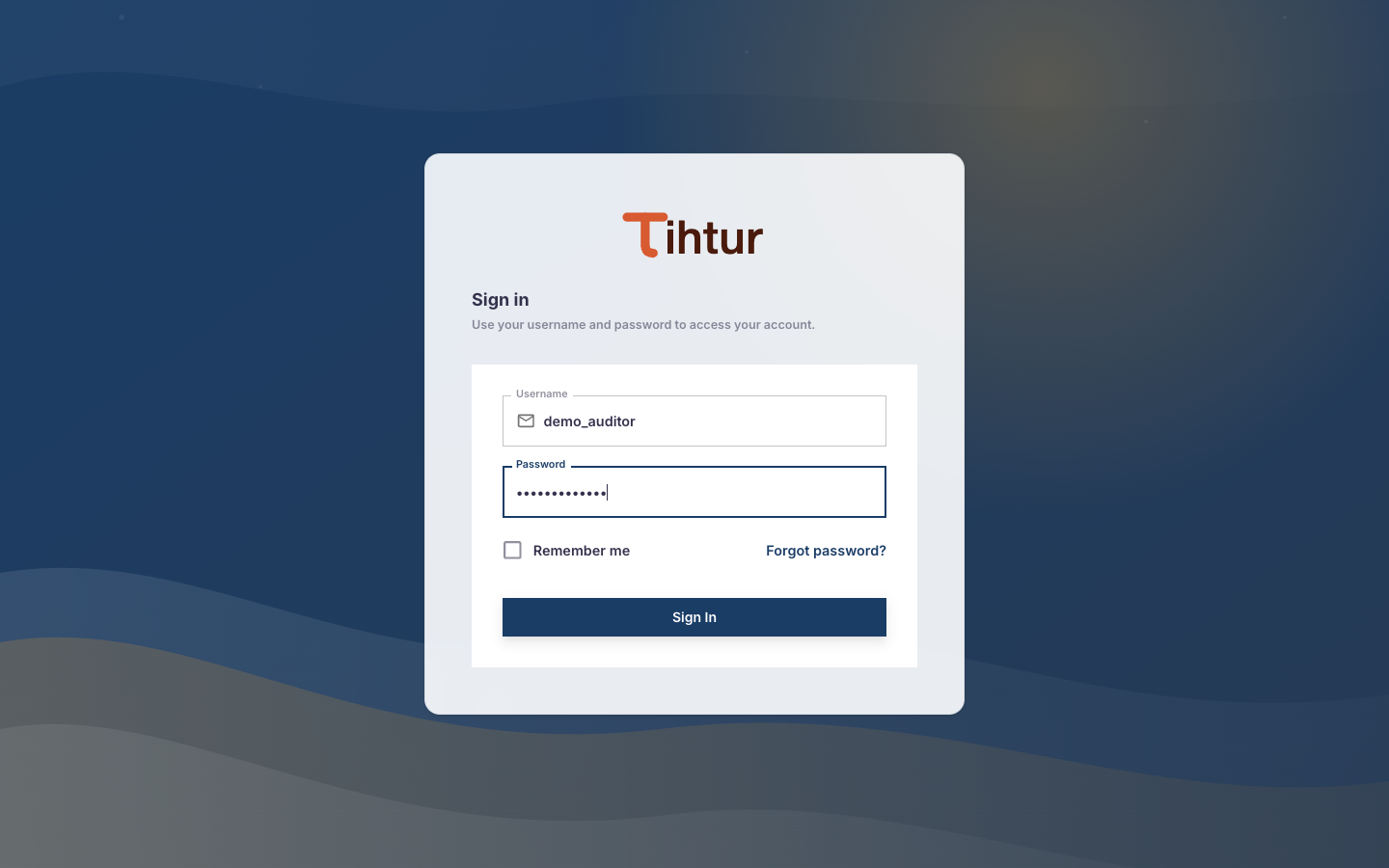
Tip: your username is not always your email. If you are not sure, ask your admin.
Choosing your hotel #
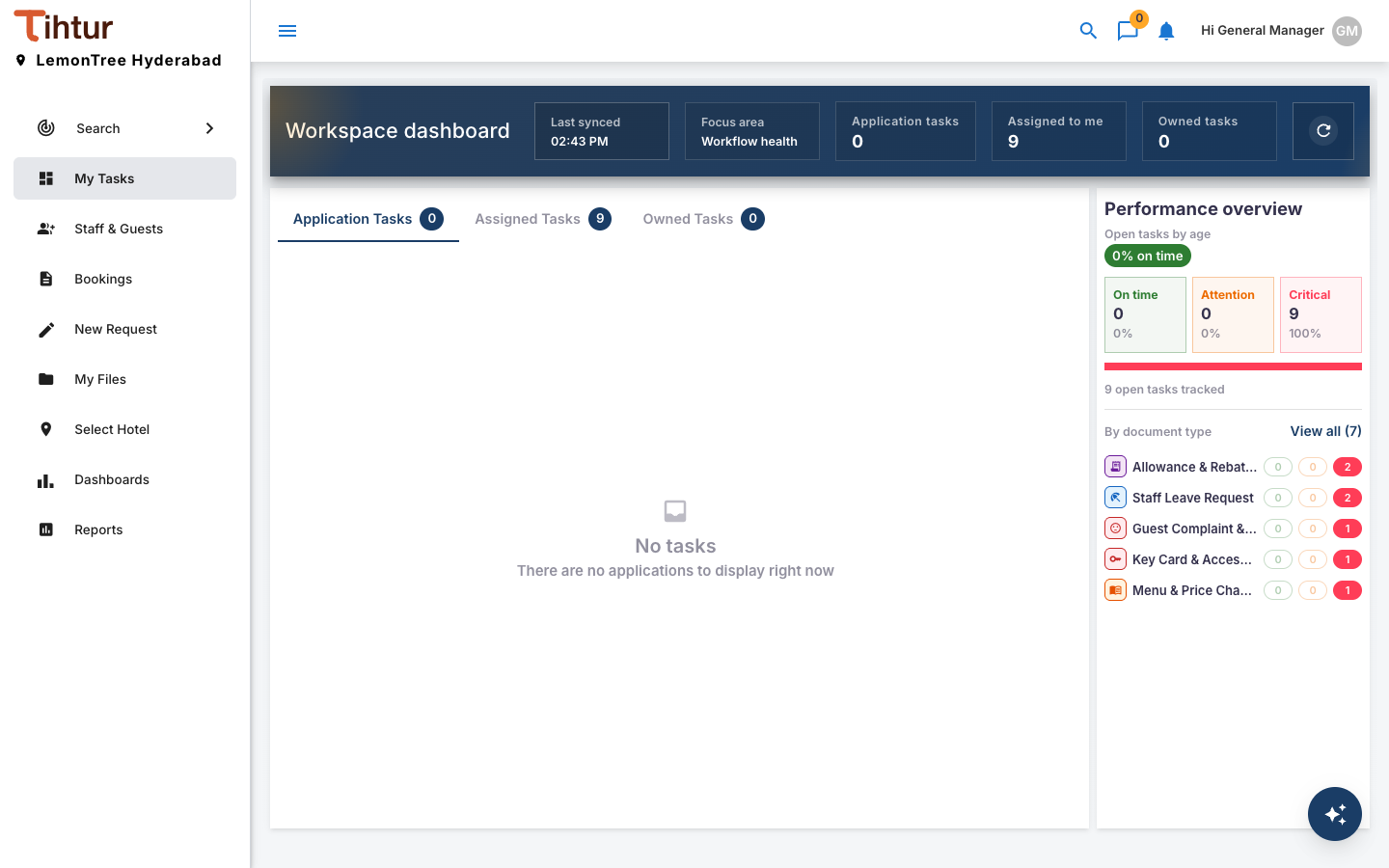
If your organisation runs more than one hotel, choose Select Hotel in the left menu and pick the one you want to work in. Its name is shown at the top of the menu. Everything you then see, such as tasks, search results, dashboards and reports, belongs to that hotel only. New requests are filed under the selected hotel.
A quick tour of the screen #
| Area | What it is for |
|---|---|
| Left menu (staff) | Search, My Tasks, Staff & Guests (admins), Bookings, New Request, My Files, Select Hotel, Dashboards, Reports. You only see the pages your role allows. |
| Left menu (guests and other portal users) | Home, Book Online and Help Desk |
| My Tasks | Your work list: requests you raised, and requests waiting for you. |
| New Request | Forms for internal requests, grouped by department. |
| Header | Search, chat, notifications (bell), and your profile menu (Settings, Logout). |
| Task page | Opens when you click a task: the form, its status, history, notes, attachments and the actions you can take. |
What to read next #
- New to the app? Read My Tasks and Working on a task.
- Setting the system up? Start with the Setup plan and checklist.