
Requests from guests #
Guests, corporate clients and vendors use TihTur to ask the hotel for something and to follow the request until it is done.
What can be requested online #
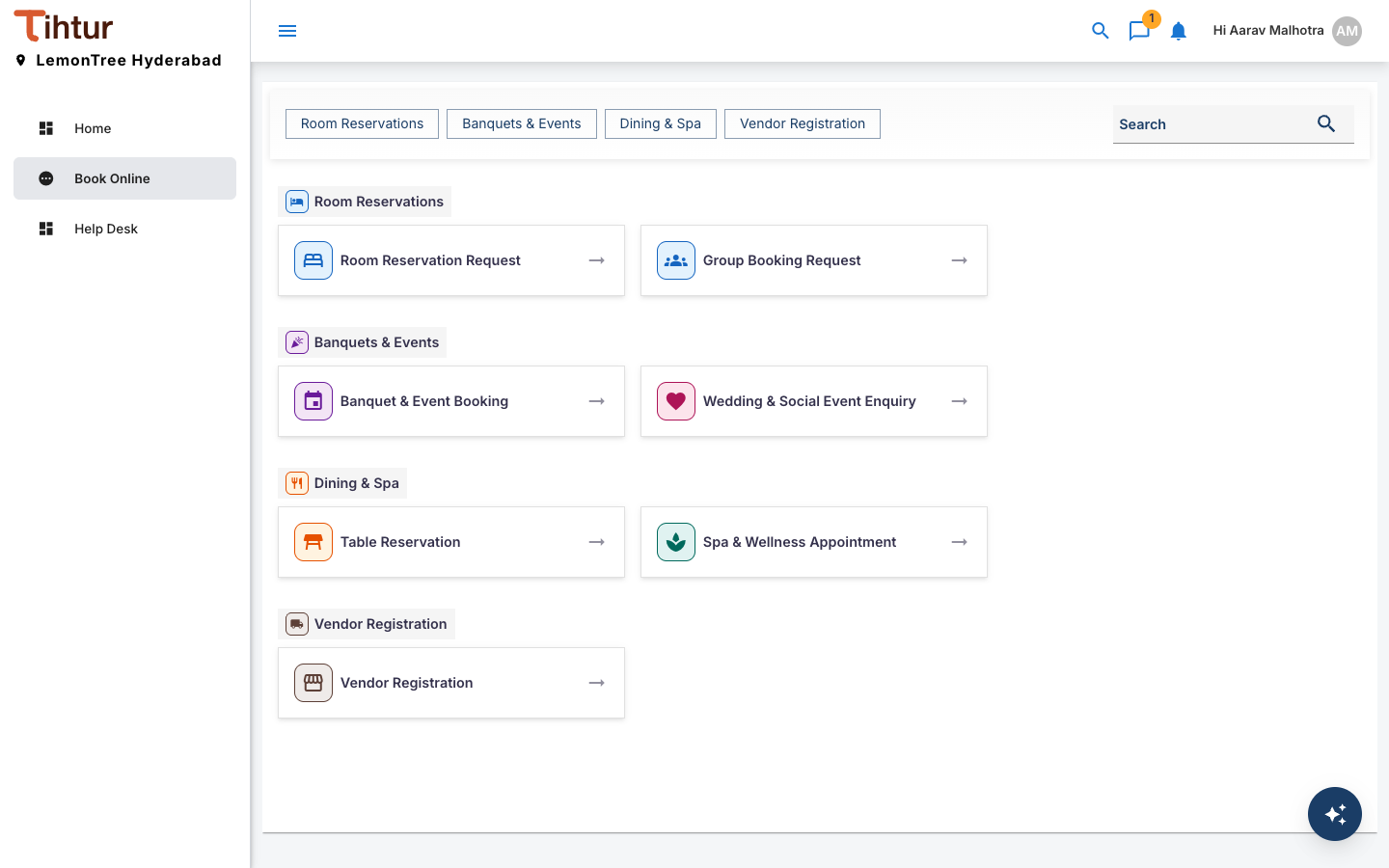
The Book Online page lists the forms open to the person signed in, grouped by area. The buttons at the top jump to a group; Search finds a form.
| Group | Forms |
|---|---|
| Room Reservations | Room Reservation Request, Group Booking Request |
| Banquets & Events | Banquet & Event Booking, Wedding & Social Event Enquiry |
| Dining & Spa | Table Reservation, Spa & Wellness Appointment |
| Vendor Registration | Vendor Registration |
Worked example: Banquet & Event Booking #
- Sign in with the username and password the hotel gave you, and open Book Online.
- Choose Banquet & Event Booking.
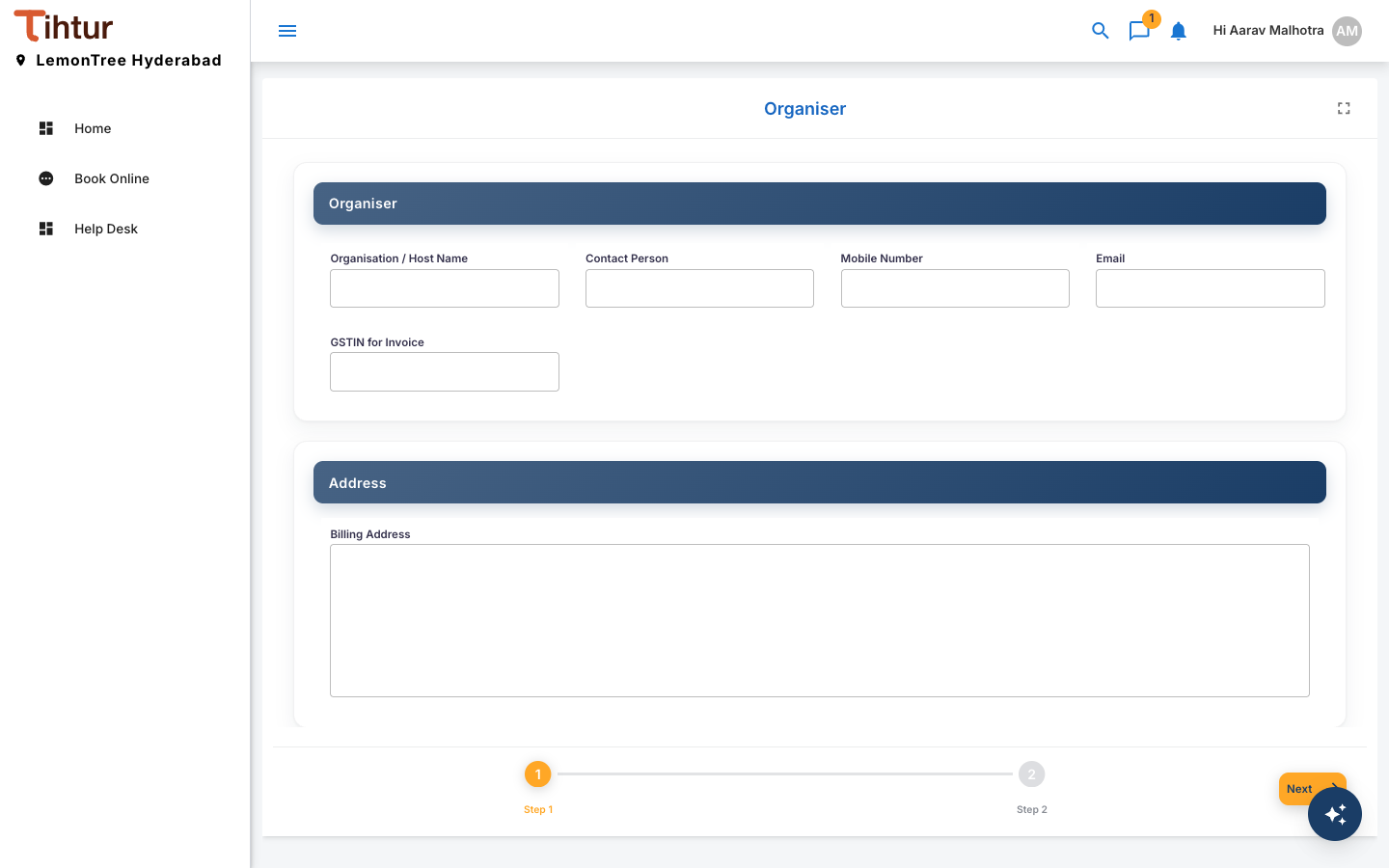
- Fill in each part of the form:
- Organiser: Organisation / Host Name, Contact Person, Mobile Number, Email, GSTIN for Invoice.
- Address: Billing Address.
- Event: Event Type, Event Date, Start Time, End Time, Expected Guests, Seating Style.
- Food & Services: Menu Preference, Budget per Person, AV Requirements, Accommodation Required.
- Requirements: Special Requirements. The form is split into steps; press Next to move on.
- Fields marked as required must be filled before you can submit. Uploads must be PDF, JPG or PNG files of up to 2 MB each, unless the hotel allows others.
- Press Submit. Your request becomes a task and appears under My Tasks.
Following your request #
Open it from My Tasks to see where it is. A Banquet & Event Booking goes through these steps:
Enquiry Received → Proposal Sent → Awaiting Contract & Advance → Confirmed – BEO Issued → Event Executed – Billing → Final Bill Settled
It can also be marked Lost (the guest chose elsewhere) or Cancelled, and the proposal can be revised as often as needed.
- The History tab shows every step, who acted and when.
- The Notes tab is where the hotel leaves messages for you. You will also see a notification.
Changing or cancelling #
To cancel, add a note on the booking. The sales or banquets team records it with Cancel or Mark Lost. If something needs correcting, reply on the Notes tab; staff update the request.