
Forms and tags #
A form is what the requester fills in; tags are what staff record while processing it, or the key details of a filed record. Both are designed in Form Management.
How a form is built #
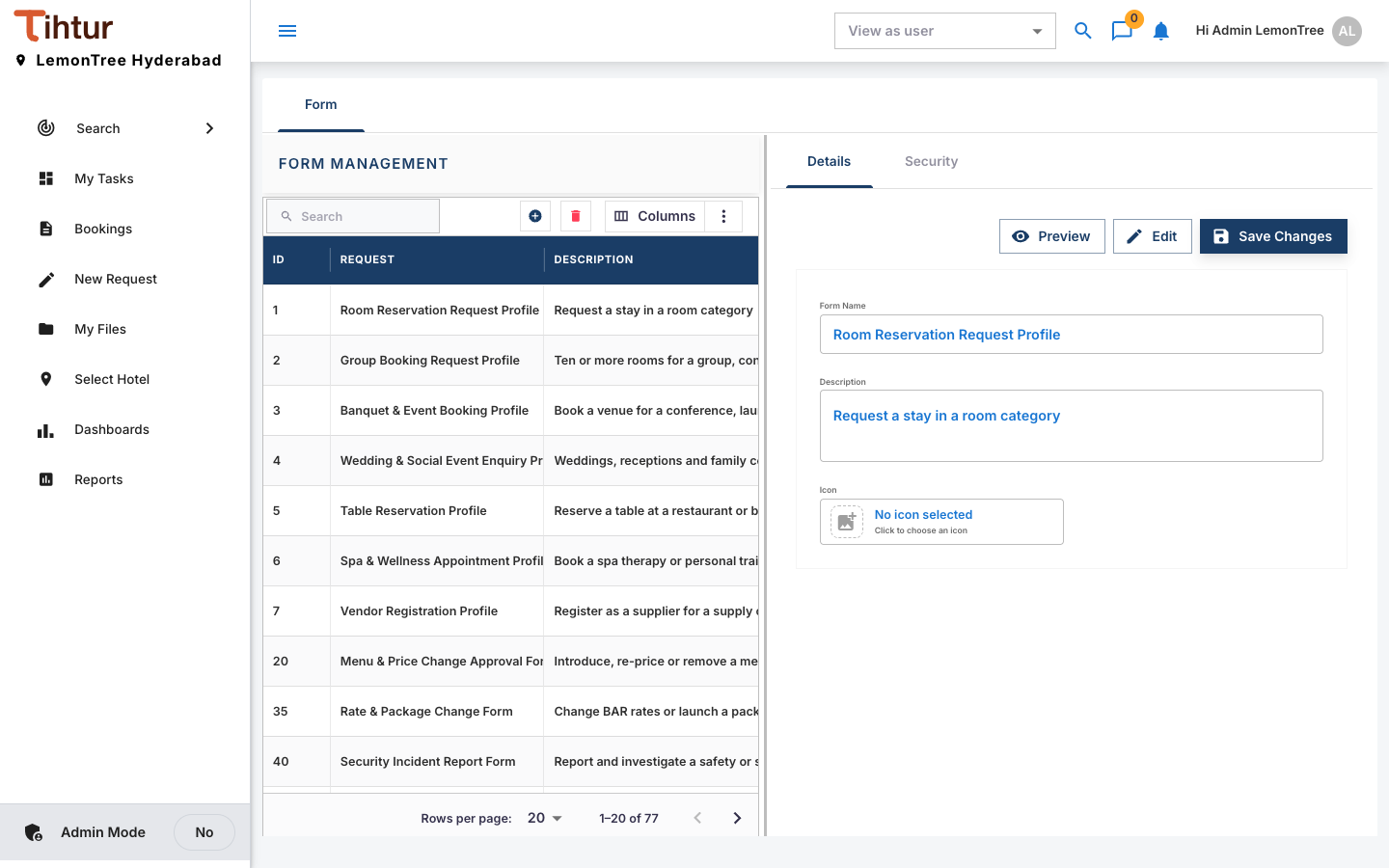
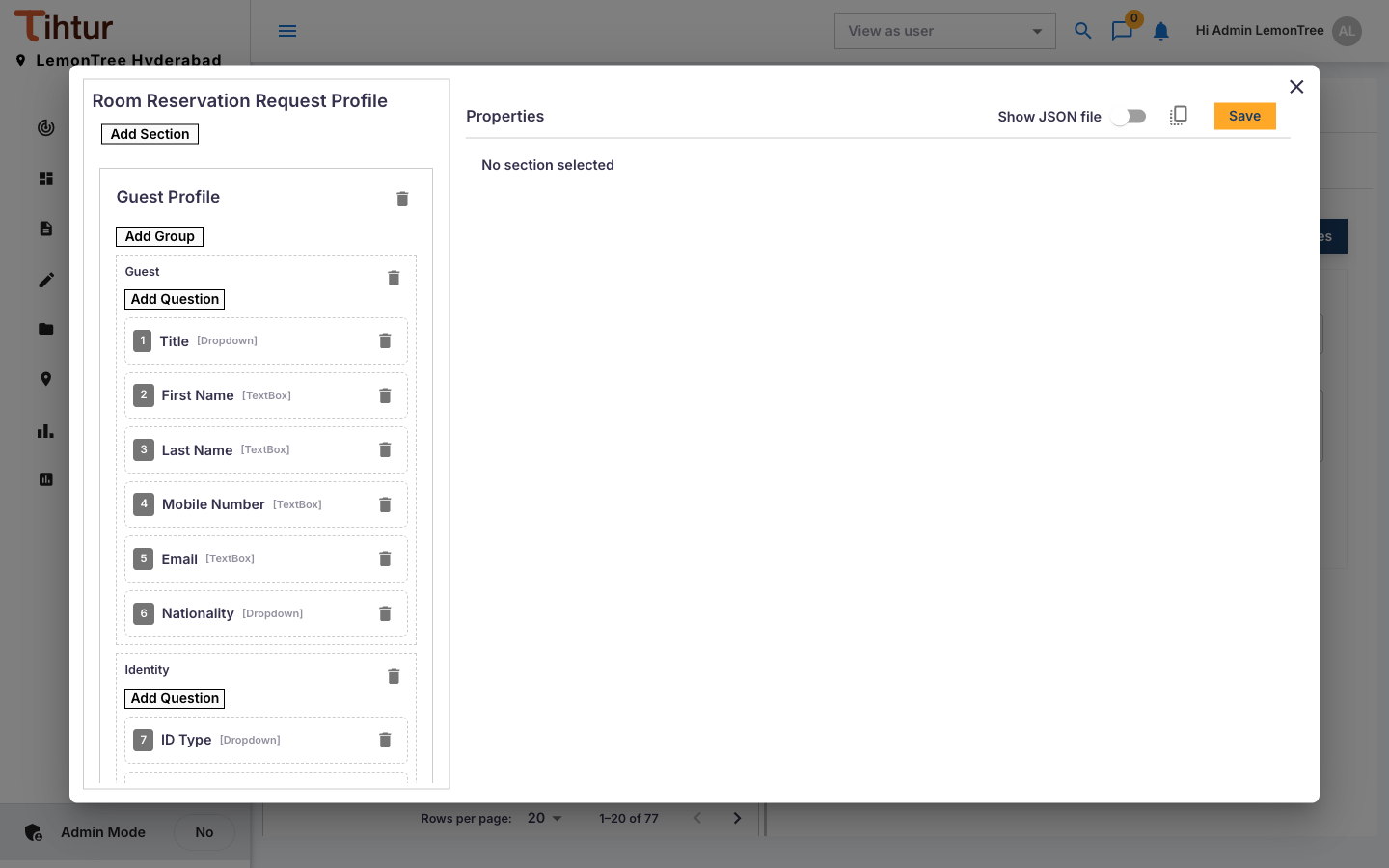
A form has groups (sections); a group can be repeated (for example Items (add one per item)); each group has fields.
| Field type | Use it for |
|---|---|
| TextBox / DescriptionBox | Short / long text |
| NumericBox / CurrencyBox | Numbers / amounts in rupees |
| Date | Dates |
| Dropdown, RadioButton, Checkbox, Button | Choices |
| UploadButton | File uploads (types and size from System settings) |
| HtmlContainer | Instructions or a declaration text |
For each field set the Label, whether it is Required, and whether it is a search filter (Is Filter).
Create a form #
- Open Form Management, press the add button and give the form a Name and Description. Preview shows how it looks; Edit opens the editor, where you Add Section, Add Group and Add Question, and set each question's Properties on the right.
- Give drop-downs their options, or point them at an options list.
- Link groups to a data table where values should fill themselves.
- Press Save, and select the form on the document type.
Tags #
Design the tag form the same way and select it as the document type's Document Tag. Good tags are the details management will ask about later:
| Document type | Tags |
|---|---|
| Banquet & Event Booking | Proposal Number, BEO Number, Guaranteed Pax, Package per Person, F&B Amount, Venue Rental, Other Charges (Decor, AV), Sub Total, GST Rate (%), GST Amount, Advance Received, Final Bill Amount, Balance Due, Event Status, Remarks |
| Staff Leave Request | Days Approved, Balance Before Leave, Balance After Leave |
| Supplier Invoice | Supplier Name, Supplier GSTIN, Invoice Number, Invoice Date; PO Number, GRN Number, GRN Accepted Value, Variance vs GRN, Three-way Match (PO / GRN / Invoice) |
Linked tags take their value straight from a form field, update when the form changes, and cannot be edited on the Tags tab.
Changing a form in use #
Forms are versioned: new requests use the new version, submitted ones keep theirs. Do add fields, groups and options, and change labels. Don't change a field's type, or delete and re-add a field, once it has answers.
Next: 9. Workflows