
Reports #
Reports are statements for a period, with totals, comparisons and an explanation of every figure. The demo hotel has 23, in the categories Finance, Rooms & Revenue, Food & Beverage, Guest Experience, Compliance, Quality & Audit, People, Operations. They are managed under Reports in the admin menu.
| Field | Meaning |
|---|---|
| Name, Description, Code | What users see; a unique code |
| Category | Groups reports on the Reports page |
| Icon code, Sort order | Look and position |
| Source view | The data the report reads |
| Definition (JSON) | Columns, totals, filters and periods |
| Job roles who can open this report | Who sees it |
| Enabled | Untick to hide it |
Add a report #
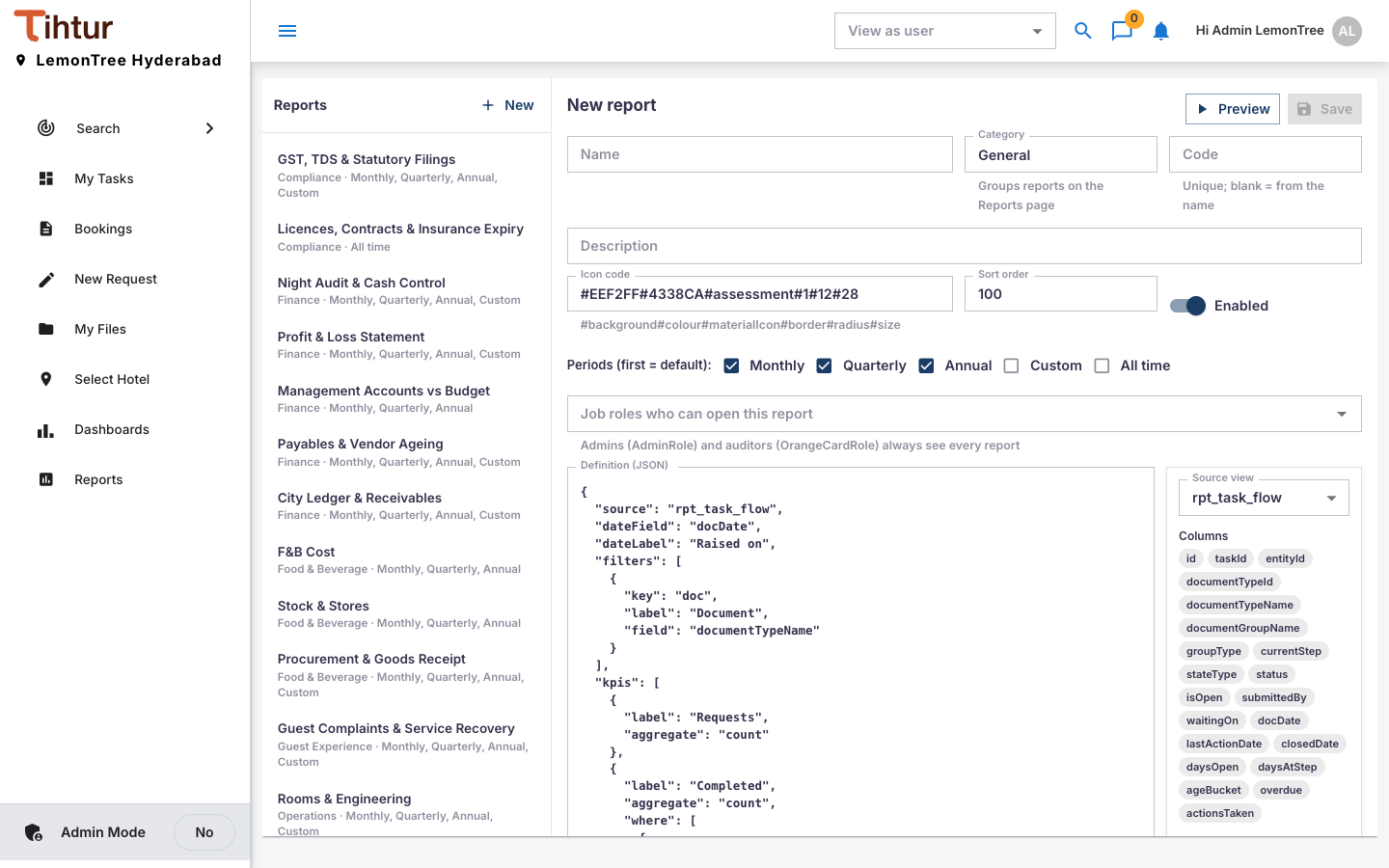
- Select a similar report and press Duplicate.
- Change the name, code, category and description; adjust the Definition (see Columns for what the source offers).
- Preview with real data, choose the job roles, tick Enabled, Save.
The Definition is technical. If you'd rather not edit it, ask TihTur support: describe the columns, totals and filters, with an example of the paper version you use today.
Users see Reports in the menu when their profile includes ControlCenters.
Next: 13. Emails and reminders