
Raising a staff request #
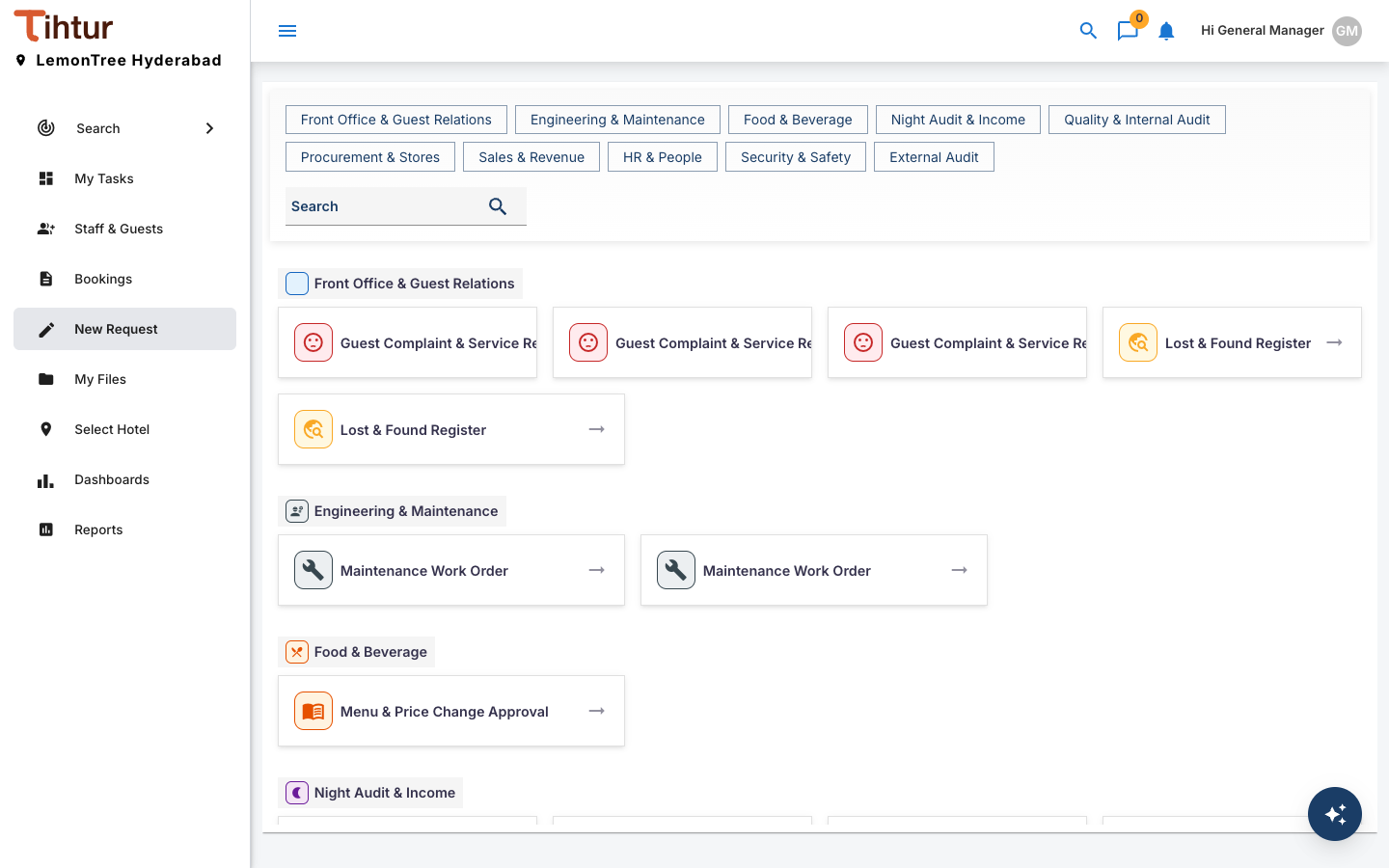
Staff use the New Request page for internal requests. Each request goes to the right people automatically and leaves a record.
What you can create #
| Group | Example forms |
|---|---|
| Front Office & Guest Relations | Guest Complaint & Service Recovery, Room Change Request, Early Check-in / Late Check-out, Lost & Found Register |
| Housekeeping | Room Inspection Checklist, Linen & Amenities Requisition, Deep Cleaning & Pest Control Schedule |
| Engineering & Maintenance | Maintenance Work Order, Preventive Maintenance Checklist, Room Out-of-Order Request |
| Food & Beverage | Kitchen Requisition, HACCP Temperature & Hygiene Log, Menu & Price Change Approval |
| Night Audit & Income | Night Audit Report, Cashier Shift Close, Allowance & Rebate Approval, Credit Limit Exception |
| Quality & Internal Audit | Brand Standards Audit, Internal Financial Audit, Food Safety Audit, Fire & Life Safety Audit, Mystery Guest Audit, CAPA |
| Procurement & Stores | Purchase Requisition, Goods Receipt Note, Stock Count Variance |
| Sales & Revenue | Corporate Rate Agreement, Rate & Package Change |
| HR & People | Staff Leave Request, Shift Swap Request, Staff Onboarding, Training Attendance Record |
| Security & Safety | Security Incident Report, Key Card & Access Request |
| External Audit | Audit Query, Document Request (PBC) |
You only see the forms your roles allow. The buttons at the top jump to a group; Search finds a form.
Worked example: a staff leave request #
- Open New Request and choose Staff Leave Request.
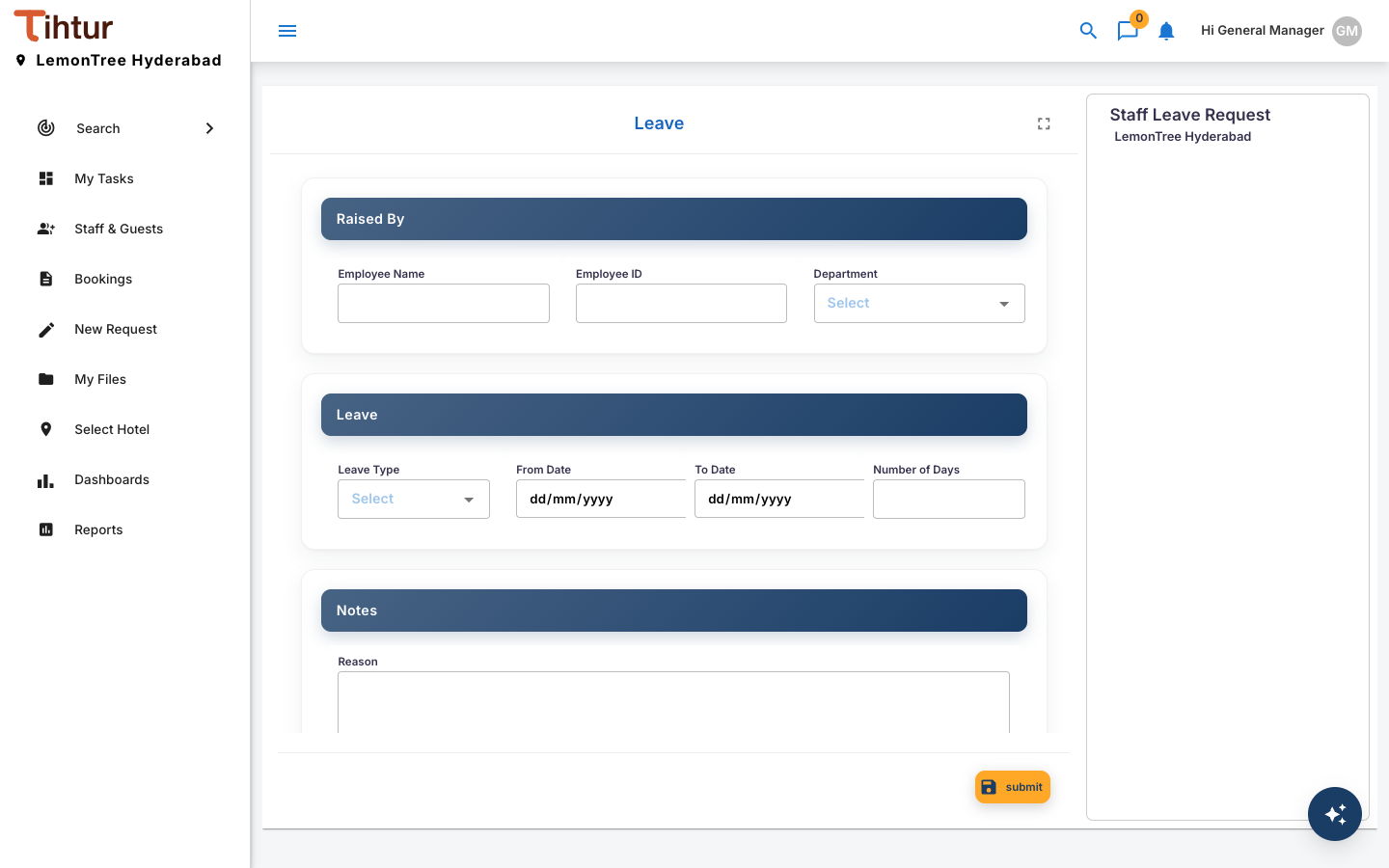
- Fill in Raised By (employee name, ID, department), Leave (leave type, from and to dates, number of days) and the Reason.
- Press Submit.
The request follows its workflow:
| Step | Who acts | Actions → next step |
|---|---|---|
| Manager Approval (start) | Department Head approval | Approve → HR Recording · Reject → Rejected |
| HR Recording | HR approval | Recorded → Approved |
| Approved, Rejected | — | Finished |
While recording, HR fills in the processing details: Days Approved, Balance Before Leave, Balance After Leave.
Good to know #
- Who approves is decided by roles, not names. When a department head changes, the admin moves the role and nothing else changes.
- Use notes for questions. If an approver needs more information, they add a note on the task, and you answer there.
- Forms fill themselves where they can. Picking a colleague, an item or a guest from a master list fills the related fields.