
Emails and reminders #
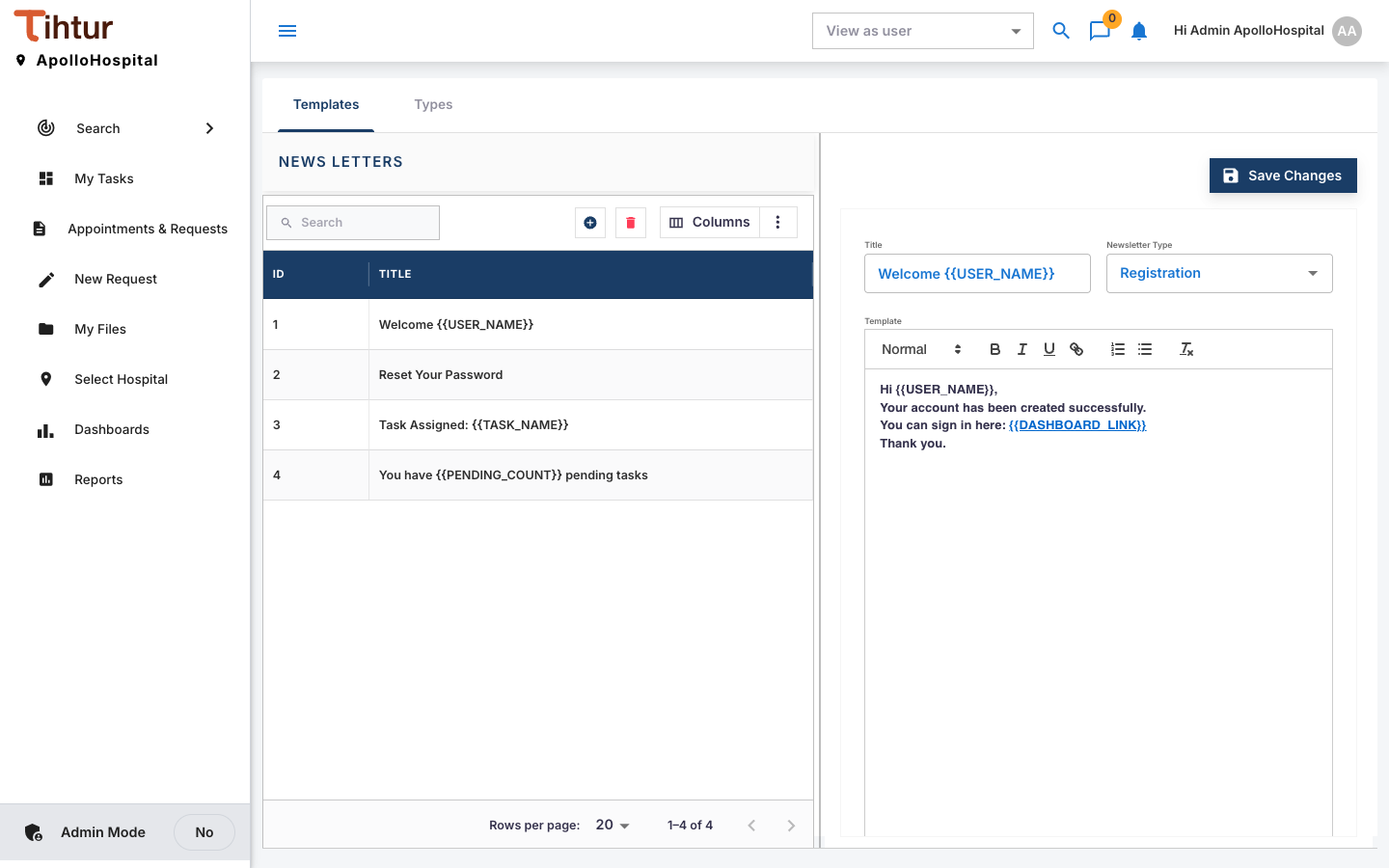
Email templates are managed under News Letters in the admin menu.
| Newsletter type | When it is sent |
|---|---|
| Registration | A user account is created |
| Forgot Password | Someone asks to reset their password |
| Task Assign | A task is created or assigned |
| Pending Tasks Reminder | Once a day, to everyone with waiting tasks |
Write a template #
- Open News Letters (tabs Templates and Types), and press the add button on Templates.
- Enter a Title, choose the Newsletter Type, write the Template.
- For the reminder, use the placeholders
{{USER_NAME}},{{PENDING_COUNT}},{{TASK_SUMMARY}}and{{DASHBOARD_LINK}}.
Switch on the daily reminder #
In System settings → Email Reminders, turn on Daily Pending Tasks Email and set the Send Time, for example before the morning shift.
Keep emails short, and write in the hospital's own voice: "Dear Sister Mary, 3 requests are waiting for you".
Next: 14. Test run