
Requests from patients #
Patients, corporate clients and vendors use TihTur to ask the hospital for something and to follow the request until it is done.
What can be requested online #
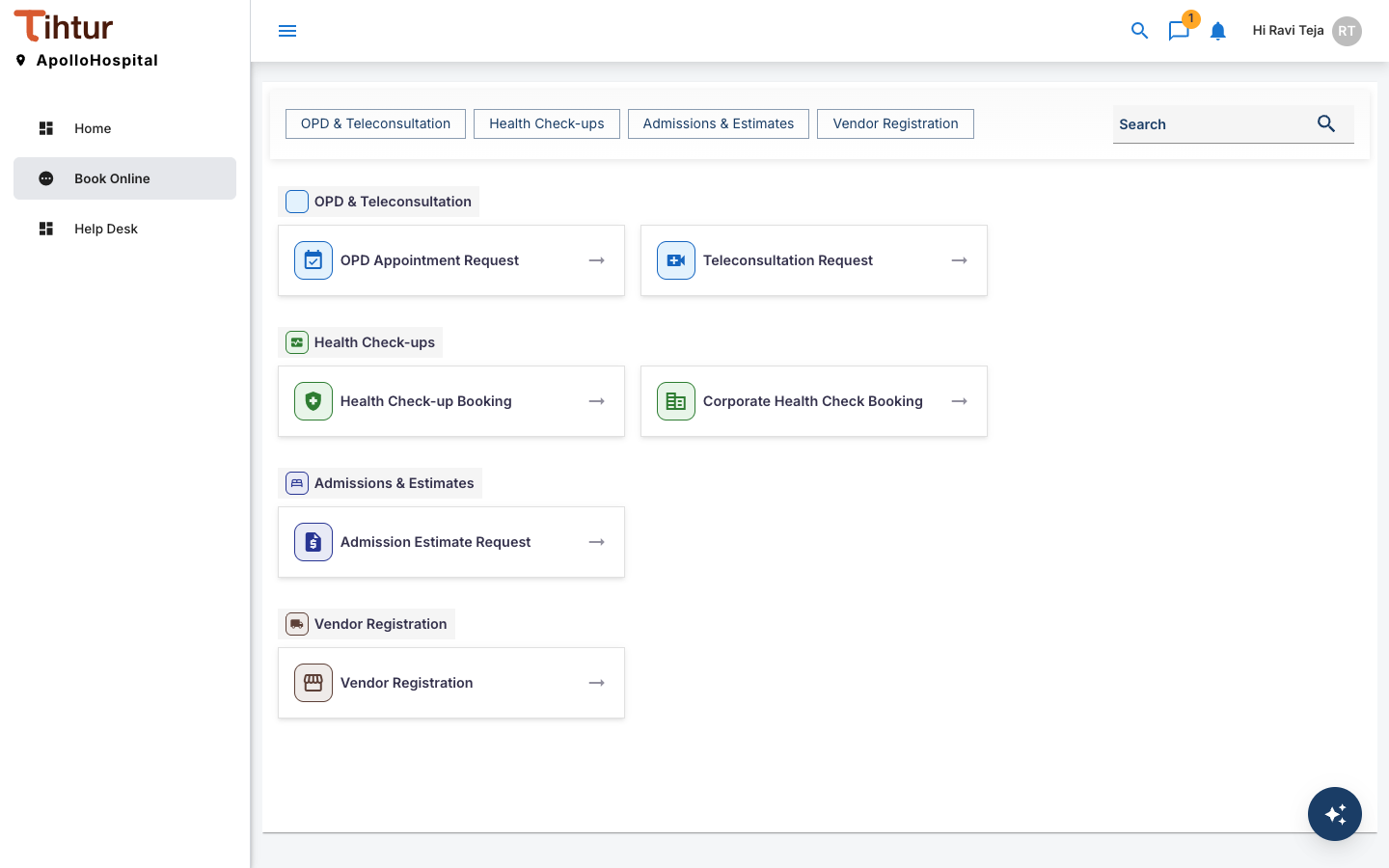
The Book Online page lists the forms open to the person signed in, grouped by area. The buttons at the top jump to a group; Search finds a form.
| Group | Forms |
|---|---|
| OPD & Teleconsultation | OPD Appointment Request, Teleconsultation Request |
| Health Check-ups | Health Check-up Booking, Corporate Health Check Booking |
| Admissions & Estimates | Admission Estimate Request |
| Vendor Registration | Vendor Registration |
Worked example: Health Check-up Booking #
- Sign in with the username and password the hospital gave you, and open Book Online.
- Choose Health Check-up Booking.
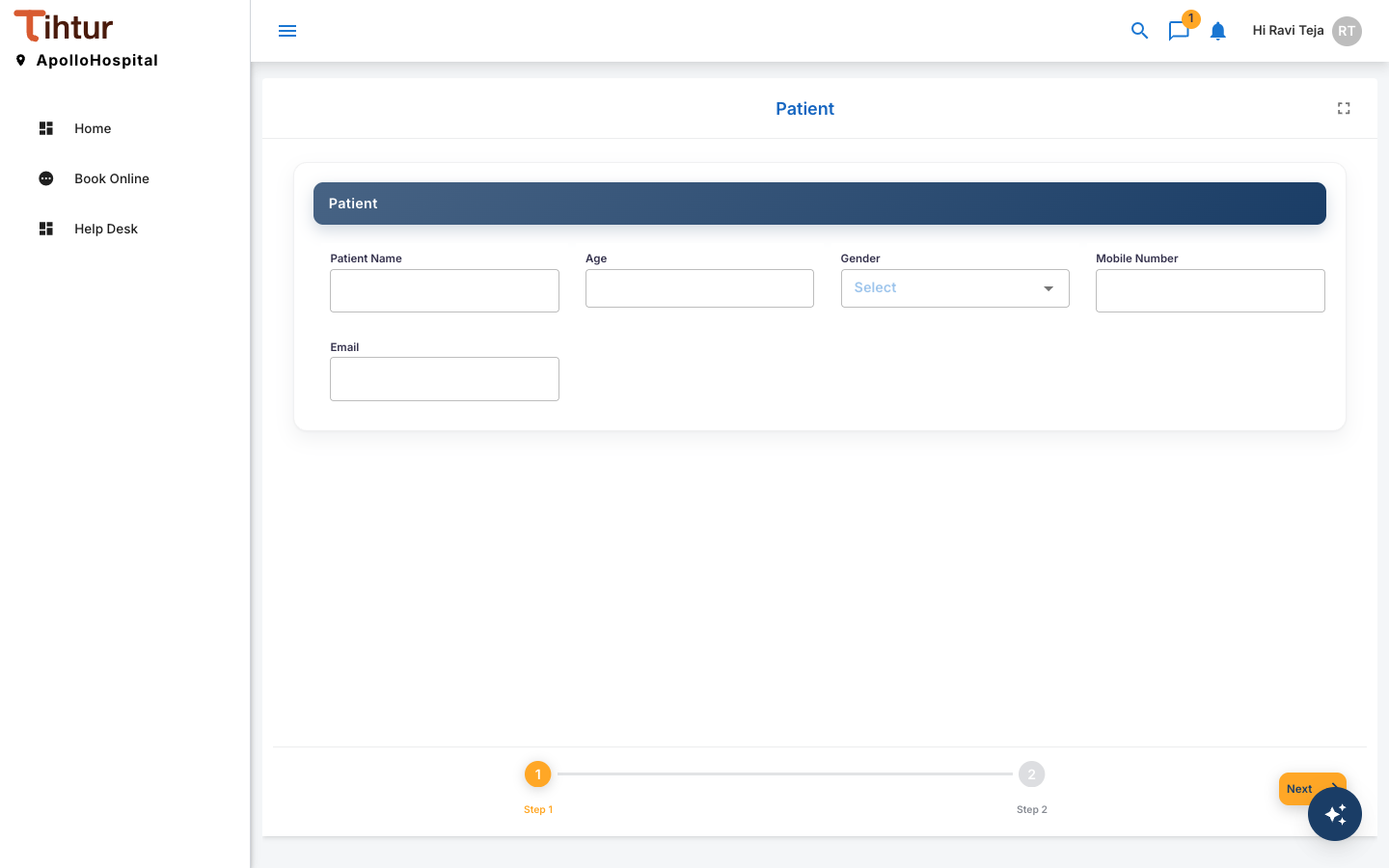
- Fill in each part of the form:
- Patient: Patient Name, Age, Gender, Mobile Number, Email.
- Booking: Preferred Date, Fasting Instructions Understood, Existing Conditions.
- Notes: Special Requests. The form is split into steps; press Next to move on.
- Fields marked as required must be filled before you can submit. Uploads must be PDF, JPG or PNG files of up to 2 MB each, unless the hospital allows others.
- Press Submit. Your request becomes a task and appears under My Tasks.
Following your request #
Open it from My Tasks to see where it is. A Health Check-up Booking goes through these steps:
Booking Received → Scheduled – Awaiting Visit → Tests in Progress → Doctor Review → Report Delivered
It can also be Cancelled (declined by the hospital, or cancelled by the patient), and the doctor can send it back for a Repeat Test.
- The History tab shows every step, who acted and when.
- The Notes tab is where the hospital leaves messages for you. You will also see a notification.
Changing or cancelling #
To cancel a booking, add a note on it, or ask the front office. They record the cancellation with Cancelled by Patient. If something needs correcting, reply on the Notes tab; staff update the request.