
Roles #
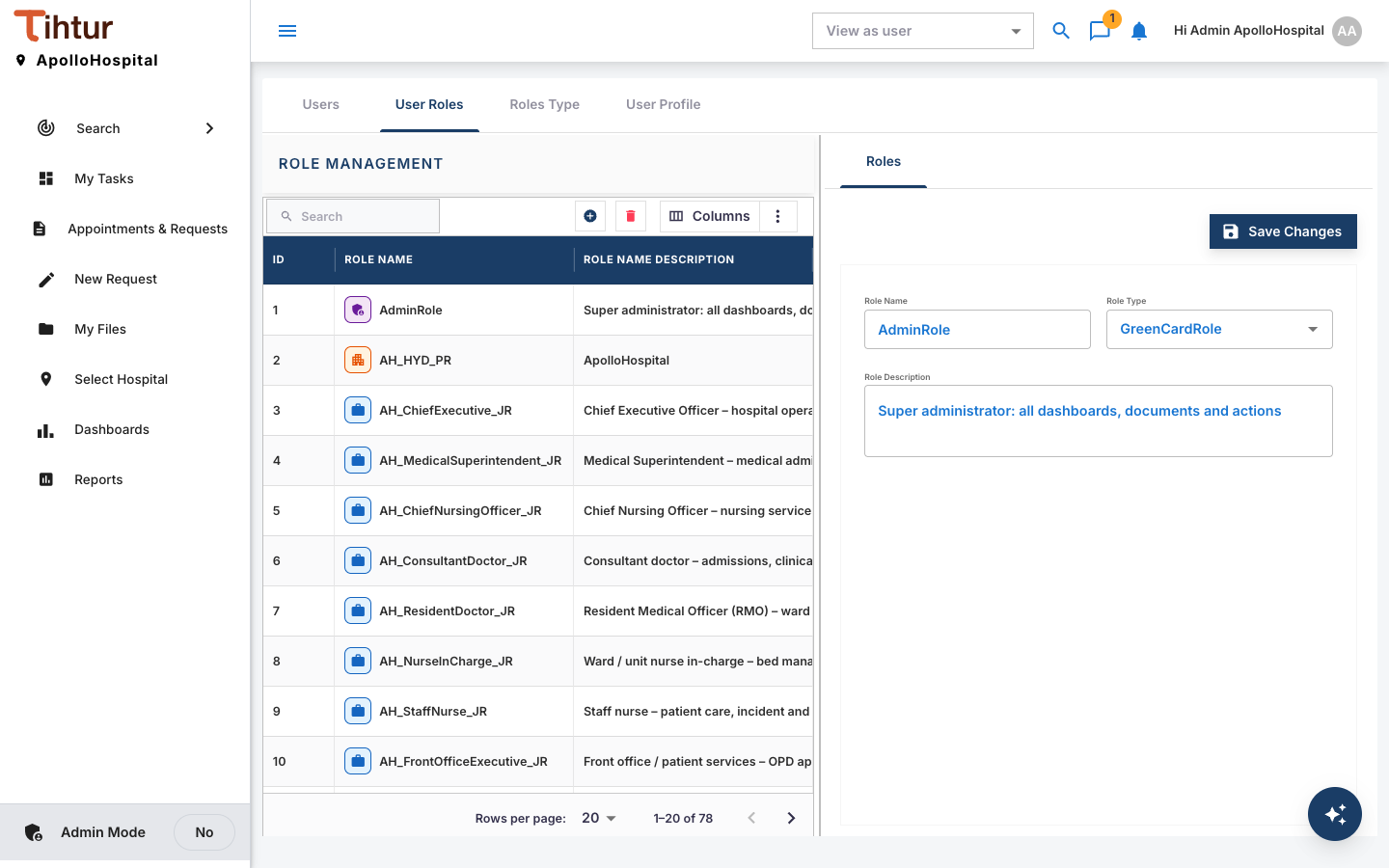
Roles are the heart of access. Workflows say "the department head approves", not a person's name. When people change jobs, you move the role and nothing else changes. Roles are managed in Staff & Patients (User Management), on the User Roles and Roles Type tabs.
The role types #
| Role type | Use it for | Examples in the demo |
|---|---|---|
| Job Role | A position; most workflow steps are approved by a job or approval role | Medical Superintendent, Chief Nursing Officer, Consultant Doctor, Nurse In-Charge, Front Office Executive, Billing Manager, Insurance Executive, Pharmacy Manager, Lab Manager, Biomedical Engineer, Quality Manager, HR Manager |
| Approval Role | A decision right, shared by several positions or moved without changing jobs | Department Head, Front Office, Billing, Insurance Desk, Clinical, Nursing, Pharmacy, Laboratory, Quality, Infection Control, HR, CEO |
| Security Role | Access to a family of records for search and viewing | Patient Records, Medico-Legal Records, Insurance Records, Finance Records, Audit Records, HR Records, All Staff, Patient Portal |
| Property Role | Membership of one hospital | AH_HYD_PR |
| GreenCardRole | AdminRole: every document type |
System administrator |
| OrangeCardRole | View-only access to everything | Demo and auditor logins |
Create a role #
- Open Staff & Patients → User Roles and press the add button above the list.
- Enter the Role Name, the Role Type and a plain-words Description.
- Press Save Changes.
A naming rule that scales #
| Type | Ending | Example |
|---|---|---|
| Job | _JR | AH_MedicalSuperintendent_JR |
| Approval | _AR | AH_DepartmentHead_AR |
| Security | _SR | AH_PatientRecords_SR |
| Property | _PR | AH_HYD_PR |
The demo hospital has 35 job roles, 29 approval roles, 10 security roles and 1 property role.
Give roles to people #
Give roles on the user record (Users), or use Roles Managers to add many users to one role at once. Typical combinations:
| Person | Roles |
|---|---|
| Medical Superintendent | Medical Superintendent (job), Medical Admin and Clinical approvals, Patient Records and Medico-Legal Records (security), the hospital property role |
| Accounts Executive | Accounts Executive (job), Finance approval, Finance Records (security), All Staff (security), the hospital property role |
| Patient | Patient (job), Patient Portal (security), the hospital property role |
Common mistakes #
- Job role without the approval role: the person sees the task but gets no Approve button.
- No property role: the person sees nothing.
- Roles per person: prefer roles per position.